Syncing from Entra ID
Identity Atlas provides deep integration with Microsoft Entra ID (Azure AD). The Entra ID crawler fetches data from the Microsoft Graph API and posts it to the Ingest API — no direct database access required.
How It Works
In v5, sync is API-driven. The crawler script (tools/crawlers/entra-id/Start-EntraIDCrawler.ps1) runs inside the worker container (or standalone) and:
- Authenticates to Microsoft Graph using credentials from the config file or the Crawlers admin page
- Fetches each entity type via the Graph API
- POSTs the data to the Ingest API on the web container
- The web container validates, deduplicates, and persists the data to PostgreSQL
This architecture means the worker container has no database driver — all persistence flows through the API.
Running a Sync
Via the UI (recommended)
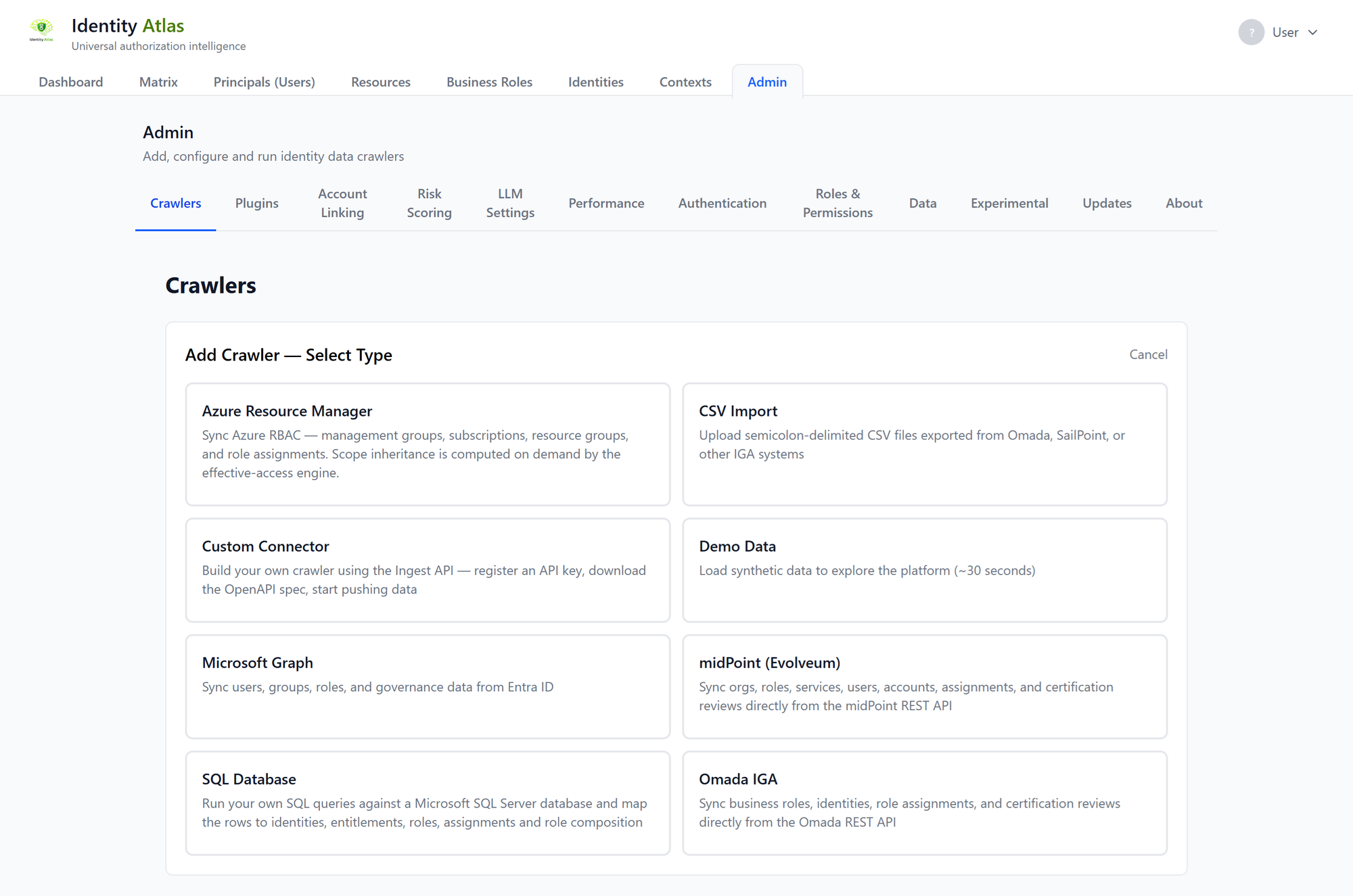
Navigate to Admin → Crawlers and configure an Entra ID crawler. The wizard walks you through:
- Enter your Tenant ID, Client ID, and Client Secret
- Validate permissions (the wizard checks each required Graph permission)
- Select which entity types to sync
- Configure optional identity filters and custom attributes
- Set a schedule (or run immediately)
Via the command line
.\tools\crawlers\entra-id\Start-EntraIDCrawler.ps1 `
    -ApiBaseUrl "http://localhost:3001/api" `
    -ApiKey "fgc_abc123..." `
    -ConfigFile ".\setup\config\mycompany.json"
Crawler flags
| Flag | Default | Purpose |
|---|---|---|
-SyncPrincipals |
On | Sync user principals |
-SyncServicePrincipals |
Off | Sync service principals, managed identities, and AI agents (classified by type) |
-SyncResources |
On | Sync groups |
-SyncAssignments |
On | Sync group memberships and owners |
-SyncGovernance |
On | Sync catalogs, access packages, policies, reviews |
-SyncContexts |
On | Sync calculated department contexts |
-SyncPim |
Off | Sync PIM-eligible group memberships |
-SyncDirectoryRoles |
Off | Sync Entra directory roles plus their active and PIM-eligible role assignments |
-SyncAppRoles |
Off | Sync enterprise-app app-role assignments (direct, and expanded from groups) |
-SyncOAuth2Grants |
Off | Sync per-user OAuth2 delegated-permission (consent) grants |
-SyncAppPermissions |
Off | Sync app-only (admin-consented) API permissions held by service principals, managed identities, and AI agents |
-SyncAppOwners |
Off | Sync app-registration and service-principal owners (fetched per app — slow on large tenants) |
-SyncPrincipalRelationships |
Off | Sync AI-agent owners and guest-account sponsors |
-SyncSignInLogs |
Off | Sync per-(user, app) last activity from sign-in logs (window set by -SignInLogsDays, default 7) |
-SyncProfilePhotos |
Off | Sync each user's profile photo, shown next to their name (re-check interval set by -PhotoMaxAgeDays, default 30) |
-RefreshViews |
On | Refresh SQL views after sync |
-CustomUserAttributes |
Empty | Extra Graph attributes to capture for users |
-CustomGroupAttributes |
Empty | Extra Graph attributes to capture for groups |
-AINamePatterns |
Empty | Extra display-name regex patterns that classify a service principal as an AI agent |
-IdentityFilter |
None | Filter which users are treated as identities |
Which toggles to enable
The defaults (users, groups, memberships, governance, contexts) cover core role-mining. The service-principal and application toggles are off by default — they add Graph calls, and several fetch per-object so they get slower as the tenant grows. Enable them by what you want to see:
| You want to see… | Enable | Cost |
|---|---|---|
| Non-human identities (SPs, managed identities, AI agents) | -SyncServicePrincipals |
Low — bulk endpoints |
| Privileged access via Entra directory roles (active + PIM-eligible) | -SyncDirectoryRoles |
Low–moderate |
| PIM-eligible group memberships | -SyncPim |
High on large tenants — a per-group $filter call |
| Who can use which enterprise app (app-role assignments) | -SyncAppRoles |
Moderate |
| Per-user consent grants to apps | -SyncOAuth2Grants |
Moderate |
| App-only API permissions held by SPs / managed identities / agents | -SyncAppPermissions |
High — fetched per service principal |
| Who owns apps / SPs (can add a credential and impersonate the app) | -SyncAppOwners |
High — fetched per app |
| AI-agent owners and guest-account sponsors | -SyncPrincipalRelationships |
Low–moderate — only over agents + guests |
| A face next to each user's name | -SyncProfilePhotos |
High on the first run — a photo is a separate request per user; near-zero afterwards |
A note on profile photos. They are personal data, and nothing else the crawler stores is of that kind, so the toggle is off until someone turns it on deliberately — check what your organisation's privacy agreements require before enabling it. The cost profile is unusual: a photo is not a user attribute in Graph but a separate resource per user, so the first run makes one request per account. After that, answers are remembered — including "this account has no photo" — and only re-checked every -PhotoMaxAgeDays days, so repeat crawls ask about almost nobody.
-SyncServicePrincipals is the prerequisite for meaningful -SyncAppPermissions and -SyncPrincipalRelationships output (both operate on service principals), and it's where AI-agent classification happens — add -AINamePatterns to catch agents your naming convention flags that the built-in patterns miss.
What Gets Synced
flowchart TD
    EntraID[Entra ID] --> U[Users → Principals]
    EntraID --> SP[Service Principals → Principals]
    EntraID --> G[Groups → Resources]
    EntraID --> DR[Directory Roles → Resources]
    EntraID --> AR[App Roles → Resources]
    EntraID --> GM[Group Members → ResourceAssignments\nDirect]
    EntraID --> GE[PIM Eligible → ResourceAssignments\nEligible]
    EntraID --> GO[Group Owners → GroupOwnership Resource\nDirect ResourceAssignment]
    EntraID --> CAT[Catalogs → GovernanceCatalogs]
    EntraID --> AP[Access Packages → Resources\nresourceType=BusinessRole]
    EntraID --> APA[AP Assignments → ResourceAssignments\nDirect, governed=true]
    EntraID --> APR[AP Resource Scopes → ResourceRelationships\nrelationshipType=Contains]
    EntraID --> APP[AP Policies → AssignmentPolicies]
    EntraID --> APQ[AP Requests → AssignmentRequests]
    EntraID --> APV[AP Reviews → CertificationDecisions]
Required Graph API Permissions
Grant these as Application permissions (not Delegated) on the App Registration the crawler authenticates as, then grant tenant-wide admin consent in the Azure Portal under App Registrations → API Permissions. Creating the App Registration itself is standard Entra administration and is not covered here.
| Permission | Purpose |
|---|---|
User.Read.All |
Read all users |
Group.Read.All |
Read all groups |
GroupMember.Read.All |
Read group memberships |
Directory.Read.All |
Read directory data |
EntitlementManagement.Read.All |
Read business roles, catalogs, and assignments |
AccessReview.Read.All |
Read certification review decisions |
Application.Read.All |
Read service principals and app role assignments |
AuditLog.Read.All |
Read sign-in and audit events |
PrivilegedEligibilitySchedule.Read.AzureADGroup |
Read PIM group eligibility schedules |
Tip
The in-browser wizard validates all these permissions automatically — it shows a green/red checklist of which ones are granted.
Schema Evolution
The Ingest API adds columns to existing tables without dropping or recreating them. Any attribute returned by the Graph API can be captured:
- Core attributes get dedicated SQL columns (indexed, filterable)
- All remaining attributes are stored in the
extendedAttributesJSON column
To capture additional Graph attributes, add them via -CustomUserAttributes or -CustomGroupAttributes on the crawler, or configure them in the UI wizard.