Documentation
You have probably just come from identityatlas.io, which tells you what Identity Atlas is. This is where it stops being a pitch and starts being a product you operate.
Identity Atlas pulls authorization data out of every system you have, puts it into one model, and lets you ask questions no single system can answer. It is MIT-licensed, self-hosted, and your identity data never leaves your environment.
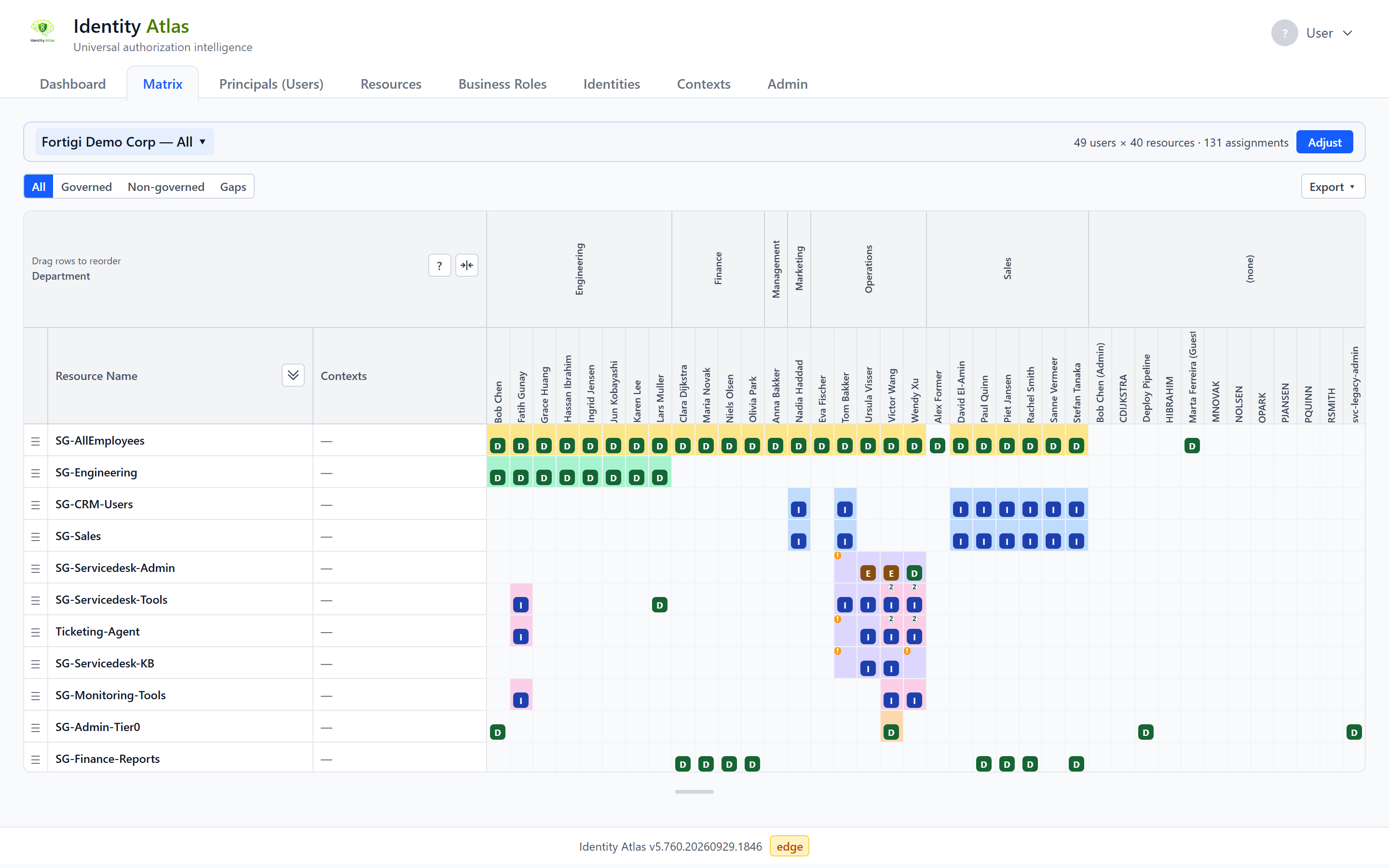
Everything below is arranged easiest-first. You are not expected to read all of it — but each path is in order, and the first page of each assumes nothing.
Start here
New to Identity Atlas? Take these four in order. About an hour end to end, and you will have found something real in real data.
-
Identity, account, resource, assignment. Four words that do not mean what you would guess — and one of them means something different here than in the platform you came from. Eight minutes, and the rest of this site stops being a foreign language.
-
Docker, one compose file, demo data loaded. No tenant, no credentials, nothing to configure.
-
Guided, click by click: read a matrix cell, explain how one person got their access, and find something nobody meant to grant.
-
Twelve questions hidden in the demo data, easy to hard — the exam for everything above. Warm up with Before you play.
Nothing installed, and not in the mood to install anything?
The hosted live demo runs the same data with no login and nothing to set up. Every page under Start here works against it.
Then pick your path
-
Analyst — I need answers out of it
Learn the model, then work the screens.
Data model · The matrix · Contexts · Effective access · Risk scoring
-
Operator — I need to run it
Deploy it, connect real systems, keep it healthy.
Docker setup · Connect Entra ID · Authentication & SSO · Data & maintenance · Troubleshooting
-
Integrator — I need to get data in
Anything without a crawler still gets in.
-
Contributor — I want to change it
The internals, and how to land a change.
Contribute a change · Build a crawler · Crawler architecture · CI pipeline
What connects to what
| System | How it connects | What you get |
|---|---|---|
| Entra ID / Azure AD | Microsoft Graph — the reference implementation | Users, groups, directory roles, app roles, access packages, PIM eligibility, access reviews |
| Azure Resource Manager | Azure Resource Graph | Subscriptions, resource groups, resources, role assignments |
| Omada Identity | Dedicated crawler | Business roles, governed assignments, certifications |
| midPoint | Dedicated crawler | Users, roles, org structure, assignments |
| SailPoint, SAP, SharePoint, anything else | CSV import or the ingest API | The same unified model as everything above |
Looking for something specific
- Reference — configuration, permissions, database views, the HTTP API.
- Under the hood — how the crawlers, the ingest layer and the engines actually work.
- About and History — who built it, and how it got here.
- GitHub — source, issues and releases.
Use the search box at the top for anything else. If you land mid-path from a search and feel lost, every page on a learning path tells you what it assumes you have already read.